 Try Tiny Desk AI
Guide
The best photo for a Tiny Desk AI video
The photo you upload decides most of the result. The model copies what it sees, the face, the hair and the clothes, onto a performer who is moving, singing and turning under stage light. A sharp, front-facing photo survives that; a dark side angle doesn’t. Seven rules, and what to pick for each seat.
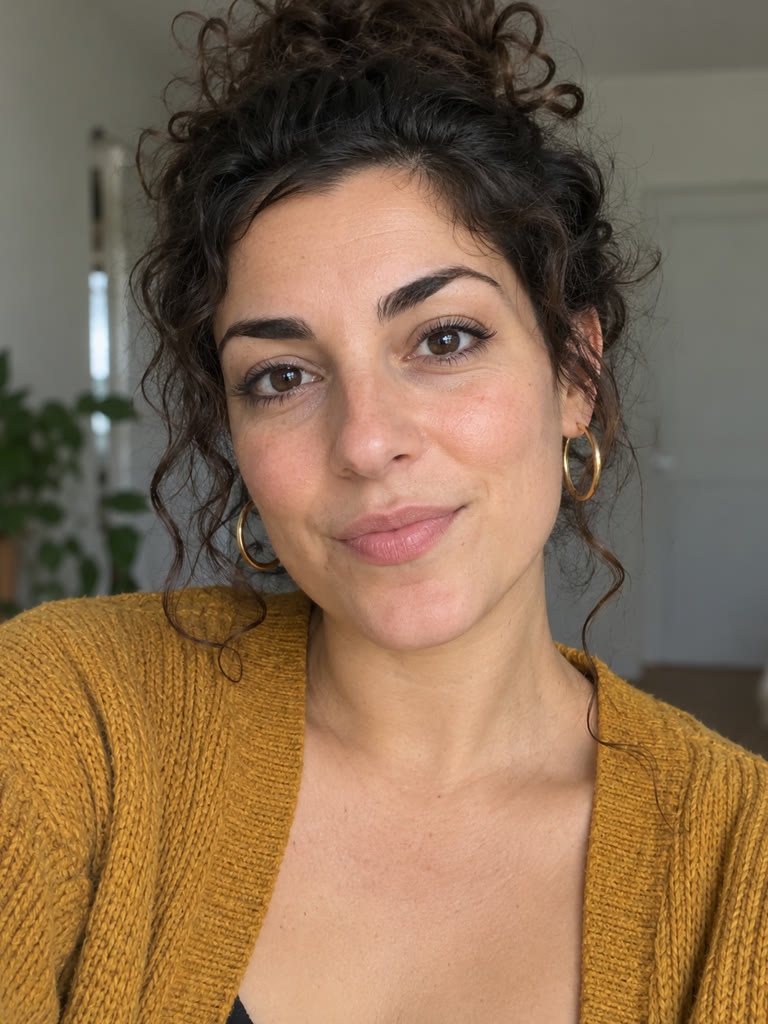
Seven rules for the photo
- One face. Crop group shots down to one person; the model can pick the wrong face otherwise.
- Looking at the camera, or nearly. Side profiles and looking-down shots come out the least like them.
- Shoulders up. The face should fill a good part of the frame; a full-body photo from across the room is too small.
- Even light. Daylight from a window beats a dark bar or a hard flash.
- Nothing over the face: no sunglasses, masks, hands, hats over the eyes or hair across the face. Normal glasses are fine.
- No filters. Beauty filters, cartoon effects and AI avatars give the model a face that isn’t theirs.
- Plain clothes help. The model copies the top too, so big logos and loud prints can show up in the video.
Good and bad photos
 ✓ Front-facing, even light
 ✓ Shoulders up, face fills the frame
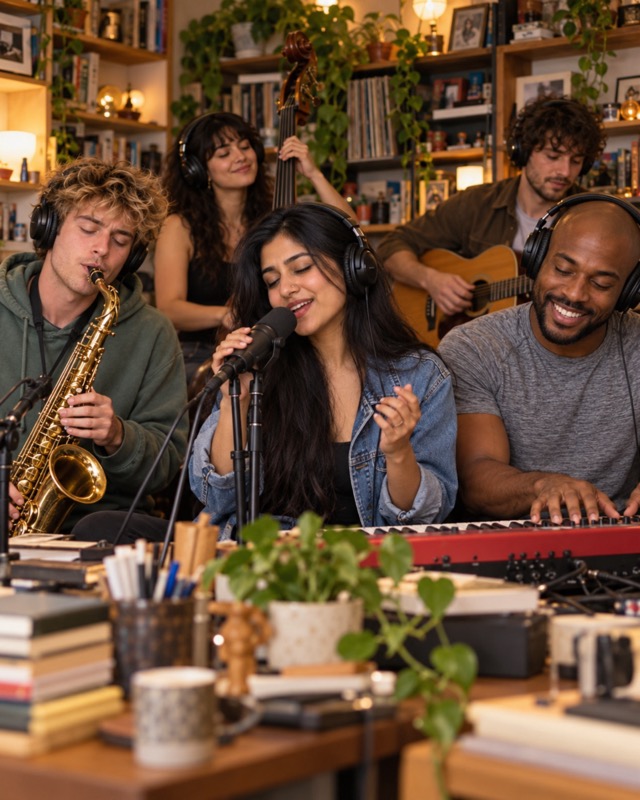 ✗ Group photo: crop to one face first
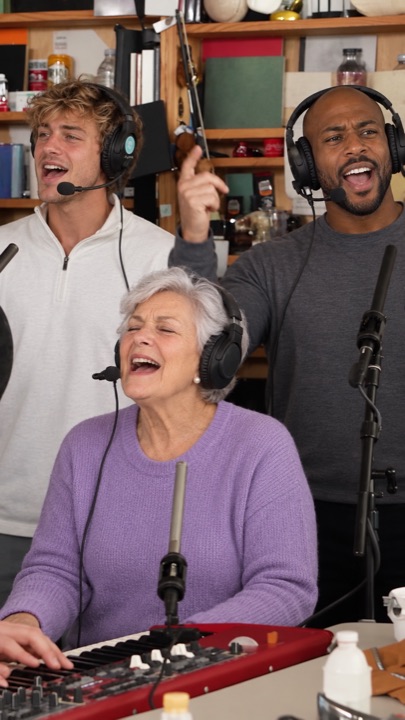 ✗ Wide shot: the face is too small
These are our AI-generated cast and stills, used here as examples; nobody in them is a real person.
What to pick for each seat
- Lead vocals: your sharpest photo. Lead gets a 7-second close-up of the big laugh, so every detail shows.
- Sax: a clear photo works; the solo is short and a bit wider.
- Keys and the two backing singers: they appear smaller in the band shots, so an older or softer photo is fine here.
Photos from your phone
On a computer, scan the QR code next to the stage and send photos straight from your phone’s camera roll; they land on the stage seat you picked. HEIC photos from iPhones work.
We use the photos only to make your video, send them to our AI video provider for that, and delete them from our storage within 2 days (privacy policy).
Questions
What photo works best for Tiny Desk AI?
A recent selfie-style photo: one face, looking at the camera, shoulders up, in even light, with nothing covering the face and no filter.
Can I use a group photo?
Crop it to one face first. Each seat takes one photo of one person.
Do glasses work?
Normal glasses usually do. Sunglasses hide the eyes, and the result looks less like them.
Why does the shirt in my video have a logo?
The model copies the clothes from the photo too. Use a photo in a plain top.
Can I use an old photo?
Yes, if it is sharp and front-facing. Use the newest good one for the lead seat, since lead gets the close-up.
More Tiny Desk AI guides
All guides
How to make the Outstanding Tiny Desk AI video
Four steps from photos to a finished 18-second clip: which photo to use for each seat, what you get, how long it takes, and what to do if a face comes out wrong.
What is the Outstanding Tiny Desk AI trend?
Where the meme comes from: a 2023 NPR Tiny Desk concert, a 1982 funk song, and the AI face-swap edits that took over TikTok in October 2026.
Is there a free Tiny Desk AI generator? 8 tools compared
What CapCut and free previews can and can’t do, and eight Tiny Desk AI generators compared on first-video price, people per video, resolution and sound.
The Outstanding Tiny Desk AI template, shot by shot
The 18-second cut second by second: band, big laugh, sax solo, band again. Which seat shows up where, and why the AI version skips the side-profile opening.
Who’s on lead vocals?
Pick one person or the whole chat. Same price for 1 to 5 faces, song included.
Start the band →