 Try Tiny Desk AI
Guide
12 Tiny Desk AI ideas for your group chat
The Tiny Desk AI trend works best when the casting is the joke: who sings lead, who gets the sax solo, who’s stuck on backup. Twelve ideas for the chats that need one, with who to put where and what to write when you post it. Everyone in it should be an adult who is fine with it.

For the group chat
- The roast: the friend who never stops talking on lead, everyone else on backup. Caption: "he really thinks this is him".
- The comeback: the friend who just won the fantasy league, bet or argument on lead, the losers singing backup.
- The reunion: five old school friends in the five seats, posted the night before you meet up.
- The holiday: whoever booked the trip on lead, the late payer on sax.
For the work chat
- The farewell: the person leaving on lead, the team on backup, the manager on keys.
- The launch: the team that shipped it, posted in the channel the morning after.
- The quarter-end: "we hit the number" with the sales team at the desk.
- The new starter: welcome them with the team on backup and an empty-looking seat for them next time.
For the family chat
- The birthday: the birthday person on lead, with the big laugh at 0:05 landing right on the joke.
- The anniversary: the couple on lead and sax, the kids on backup.
- The wedding chat: the couple on lead and keys, the wedding party in the back.
- The pet edition: the dog on lead, the family on backup. See Tiny Desk AI with your dog or cat.
How to cast it
 @dadLead vocalsThe big laugh close-up at 0:05, plus both band shots
 @coworkerSaxThe sax solo at 0:12
 @grandmaKeysFront and centre in both band shots
 @roommateBack leftSinging backup in both band shots
 @gymbroBack rightSinging backup in both band shots
- Lead is the punchline: whoever the video is about.
- Sax is the second joke: the quiet one, the boss, the grandparent.
- Back row is for the group: everyone who should be in it but isn’t the point.
- Fewer faces is fine. The cast fills any seat you leave, and one face costs the same as five.
Posting it
Post it in the chat first: that’s where it lands hardest. If you post it on TikTok or Reels, use the version with the song, and keep the silent copy for when the app mutes it (how to add the sound). Keep it an obvious parody, and don’t post someone who said no.
Questions
What are good Tiny Desk AI video ideas?
Birthdays, farewells, fantasy league wins, reunions, weddings and pet editions. Put the person the video is about on lead vocals and the group on backup.
Can I put my boss or coworkers in it?
Yes, if they’re adults and fine with it. Ask first, and keep it in the team chat unless they say you can post it.
Can I put a celebrity in it?
No. Use yourself and people you know who agreed to it. Videos of public figures or anyone who didn’t agree break our acceptable use policy.
How many people can be in one video?
One to five, same price: lead vocals, sax, keys and two backing singers.
More Tiny Desk AI guides
All guides
How to make the Outstanding Tiny Desk AI video
Four steps from photos to a finished 18-second clip: which photo to use for each seat, what you get, how long it takes, and what to do if a face comes out wrong.

What is the Outstanding Tiny Desk AI trend?
Where the meme comes from: a 2023 NPR Tiny Desk concert, a 1982 funk song, and the AI face-swap edits that took over TikTok in October 2026.
Is there a free Tiny Desk AI generator? 8 tools compared
What CapCut and free previews can and can’t do, and eight Tiny Desk AI generators compared on first-video price, people per video, resolution and sound.
The Outstanding Tiny Desk AI template, shot by shot
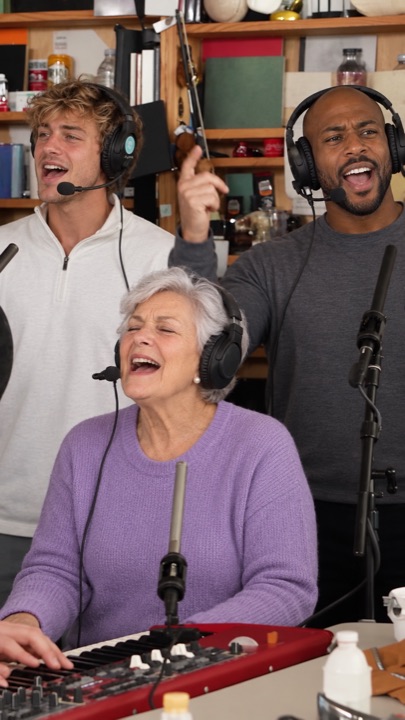
The 18-second cut second by second: band, big laugh, sax solo, band again. Which seat shows up where, and why the AI version skips the side-profile opening.
Who’s on lead vocals?
Pick one person or the whole chat. Same price for 1 to 5 faces, song included.
Start the band →